Haunted Ostrich logoHAUNTED OSTRICH

ScaleBox — Bounding Box Scale Tool

Optimize your level-building workflow with an advanced box-scale tool for the Unreal Engine editor — the one you never knew you were missing.

Tap R twice. Drag a face. The opposite face stays pinned.
Get it on Fab Buy direct on Gumroad

Unreal Engine 5.5 – 5.8 · Windows editor · editor-only, zero runtime footprint

See it in action

Point-to-snap — hold V, point at geometry, the face lands flush.
Corner handles — uniform scale from the opposite corner.
Grid snapping — honors your editor snap settings.
Symmetric scale — hold Shift to scale about the center.

Features

Face handlesAxis-colored handles on every face of the selection's bounds. Drag one — the opposite face stays pinned, so walls stay planted on floors and flush against corners.
Corner handlesUniform scale from the opposite corner, exact even on rotated multi-selections.
Point-to-snapHold V and point the cursor at any geometry — the dragged face jumps flush to it, at any distance.
Live size readoutSee the selection's dimensions in units while you drag.
Grid snappingRespects the editor's snap settings without disturbing off-grid placement. Ctrl inverts it mid-drag.
Symmetric & mirrorShift scales about the center. Drag deliberately past zero to mirror — sticky, so it never happens by accident.
It's not a modeThe scale tool you already use, with a second gear. No editor mode tab, no tool palette, no learning curve. Full undo, construction scripts re-run on release.
Bonus materialsA fully procedural, zero-texture scaffold / blockout material set ships with the plugin.

Documentation

Install

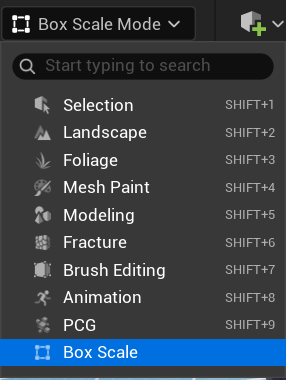
Activating box mode

Box Scale button in the viewport toolbar Box Scale in the transform dropdown

Controls

ControlEffect
Drag face handleScale along that axis; opposite face pinned
Drag corner handleUniform scale from the opposite corner
Shift + dragSymmetric — scale about the box center
Ctrl + dragInvert grid snapping
Hold V + drag facePoint-to-snap: face jumps flush to the geometry under your cursor, at any distance; with the cursor in empty space, the face snaps to geometry it passes near
Esc during dragCancel and restore original transforms
Drag past zeroMirror the selection (sticky ~25% overshoot; never on BSP)

Settings

Editor Preferences → Plugins → ScaleBox: handle sizes, hit-test padding, handle colors, mirror overshoot threshold, contact-snap distance. Changes apply live.
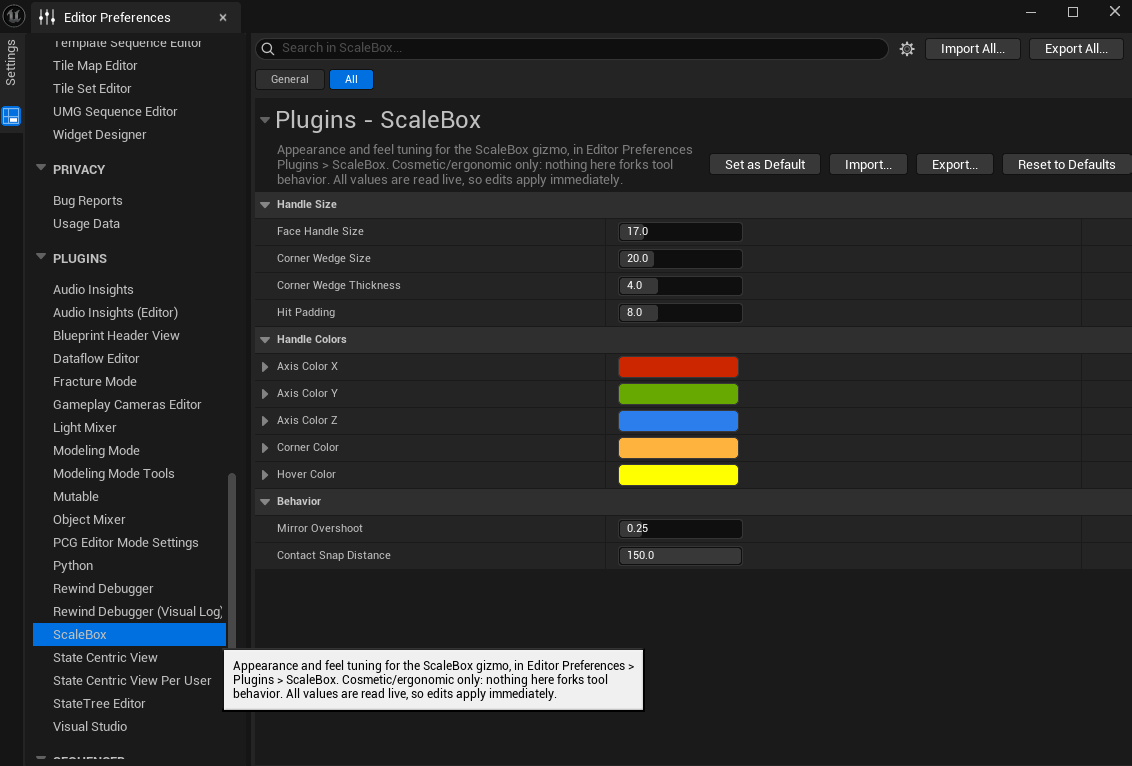
ScaleBox settings in Editor Preferences

Known limitations (v1.0)

Support

Bugs, questions, feature requests: support@hauntedostrich.com

Include your engine version and, for bugs, a short clip or steps to reproduce — it makes fixes dramatically faster.